22 January 2025
Solving Chess.com's 20,000-click UX problem with 83 lines of JavaScript
A Tampermonkey script that turns hours of manual clicking into a 15-minute automated background task — open-sourced for anyone hitting the same wall.
If you play chess on different platforms as much as I do, you probably use Chess.com to analyze your games. It’s a great tool, but I recently ran into a massive UX hurdle.
The problem
Over time, I had accumulated over 200 pages of saved analysis — that’s roughly 10,000 games. I wanted to clear my library to start fresh, but I hit a wall: there is no “Select All” or “Delete All” button.
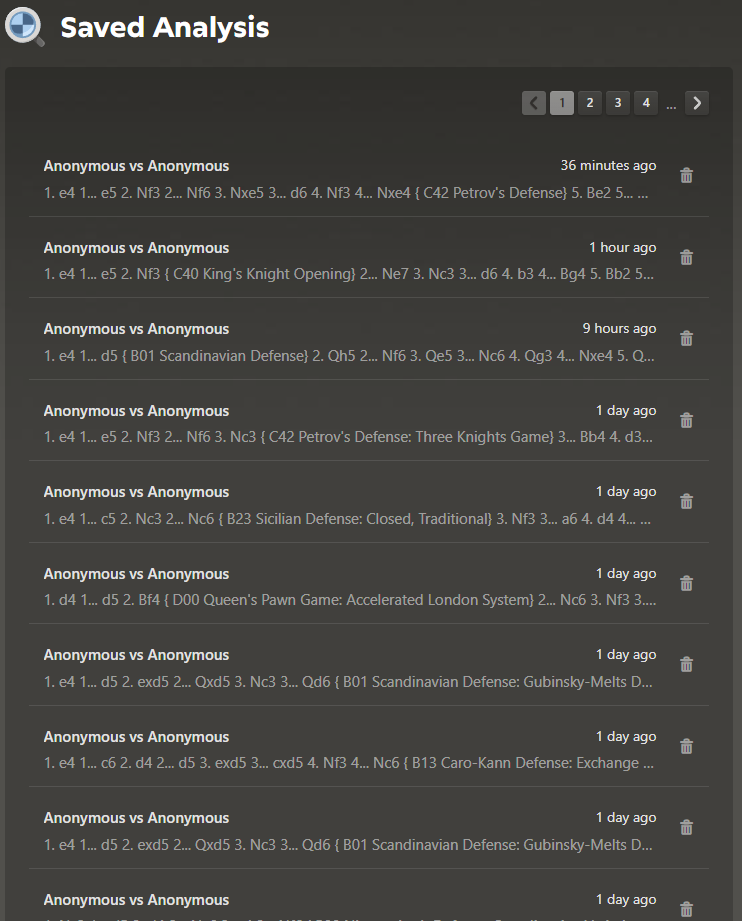
Since Chess.com displays only 50 games per page, deleting each game requires clicking Delete and then Yes. That’s two clicks per game — meaning over 20,000 manual clicks to clean up the entire library.
The fix
I’m not a UX designer at Chess.com, but I am a developer. So instead of complaining about the UX or waiting for them to fix it, I wrote a script to handle it myself.
I built a simple Tampermonkey script that:
- Identifies all games on the current page
- Automates the deletion click
- Auto-confirms the custom “Are you sure?” popups
- Refreshes the pagination to handle the next batch automatically
It turned a few hours of boring manual clicking into a 15-minute automated background task.
Source
I’ve open-sourced it on GitHub for anyone else facing this specific Chess.com UX issue.